🚀 How to Set Up IPTV on MAG Box: 5 Powerful & Easy Steps (2025 Guide)
Introduction
If you’re searching for how to set up IPTV on MAG Box, you’re in the right place. MAG devices are among the most reliable IPTV streaming boxes available today. Whether you own a MAG 254, MAG 322, or MAG 420, the setup process is simple and takes only a few minutes.
In this step-by-step 2025 guide, we’ll show you exactly how to configure your MAG Box, enter your IPTV portal URL, and start streaming live TV, movies, and sports without hassle.
What You Need Before Starting
Before setting up IPTV on your MAG Box, make sure you have:
A MAG Box (MAG 254, MAG 322, MAG 420, etc.)
Stable internet connection (Ethernet recommended)
IPTV subscription with portal URL
HDMI cable
TV with HDMI port
MAG remote control
📺 How to Set Up IPTV on MAG Box (Step-by-Step Visual Guide)
Step 1: Connect MAG Box to Your TV and Internet
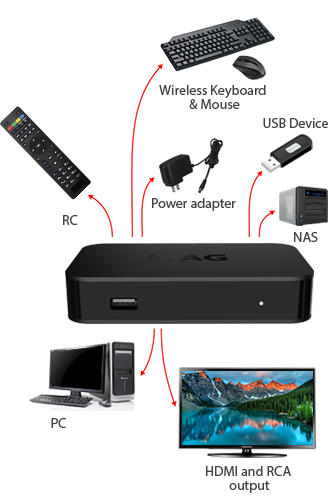
Connect the MAG Box to your TV using an HDMI cable.
Connect to the internet:
Use Ethernet cable (recommended for stability)
Or connect via Wi-Fi
Plug in the power adapter and turn on the device.
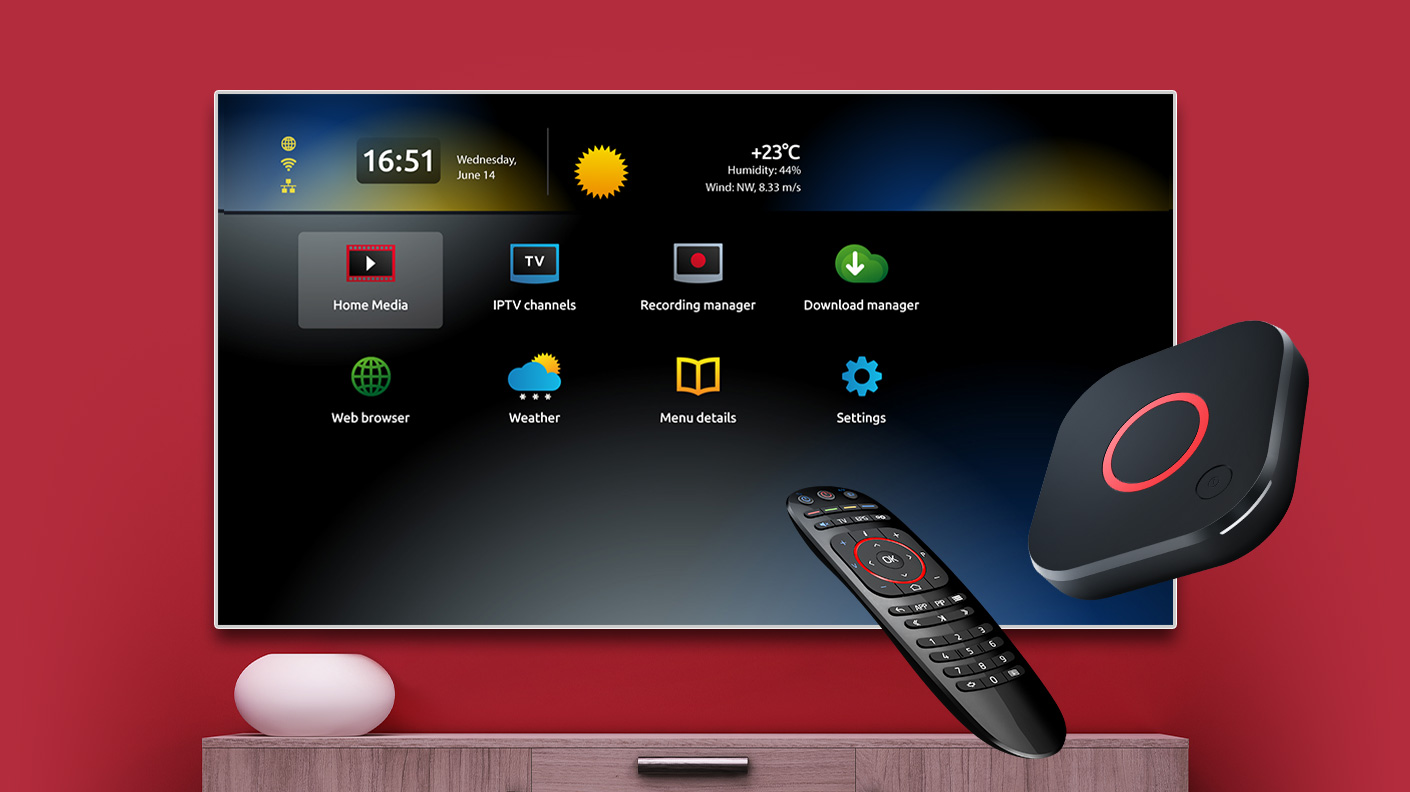
Wait for the MAG home screen to load.
Step 2: Configure Network Settings
To ensure your internet is working properly:
Go to Settings
Select System Settings
Open Network
Confirm the connection status shows “Connected”
If not connected, configure your Wi-Fi or check Ethernet cable.
A stable internet connection is essential for smooth IPTV streaming.
Step 3: Enter IPTV Portal URL
This is the most important step when learning how to set up IPTV on MAG Box.
Go to Settings
Select Portals
In Portal 1 Name, enter a name (example: My IPTV)
In Portal 1 URL, enter the portal URL provided by your IPTV provider
Click OK
Make sure there are no typing errors in the portal URL.
Step 4: Reboot Your MAG Box
After entering the portal URL:
Go back to Settings
Select Reboot
Confirm and wait for the device to restart
The IPTV portal should load automatically after reboot.
Step 5: Start Streaming IPTV
Once your device restarts:
Access Live TV channels
Browse Video on Demand (VOD)
Watch sports, movies, and series
Congratulations! You have successfully completed the MAG Box IPTV setup.
Troubleshooting IPTV Setup on MAG Box
Portal Not Loading
Double-check portal URL
Restart router
Confirm IPTV subscription is active
Buffering Issues
Switch to Ethernet connection
Ensure internet speed is at least 20 Mbps
Restart router and device
No Signal on TV
Check HDMI cable
Select correct HDMI input on TV
Why Choose MAG Box for IPTV?
MAG devices are popular because they offer:
Stable performance
Easy portal configuration
High compatibility with IPTV providers
Smooth HD streaming
They are especially recommended for users who want a simple IPTV setup without complex installations.
Final Thoughts
Now you know exactly how to set up IPTV on MAG Box in 5 simple steps. The process is quick, beginner-friendly, and requires only your IPTV portal URL and internet connection.
Follow this guide carefully, and you’ll enjoy smooth IPTV streaming in minutes.
Choose Your Perfect Plan
Perfect for individual streamers who want to Set Up IPTV On MAG Box or any other device.
| Duration | Price | Features | Get Started |
|---|---|---|---|
| 24H Trial | $2 |
| Start Trial |
| 1 Month | $11 |
| Subscribe Now |
| 3 Months | $19 |
| Get Access |
| 6 Months | $39 |
| Choose Plan |
| 12 Months | $56 |
| Save More |
| 24 Months | $69 |
| Best Value |